
Solutions by Impact
NGO & nonprofit management software
Different missions. One way of working.
Impact adapts to the organizational work behind different missions, bringing people, programmes, funding, activities and reporting into a more connected management environment.
Impact is a software product available for purchase and deployment through Reedox.
Illustrative demo data
The problem
Your mission is connected. Your operations should be too.
Many organizations run their work across spreadsheets, chats, inboxes and paper files. Not every team faces every challenge below, but most will recognize a few.
Fragmented records
Member, volunteer, donor and contact details are stored in different places.
Consequence
Duplicated effort and out-of-date information.
Shared directories for members, donors and volunteers.
Disconnected programmes
Activities, teams, deadlines and progress updates are hard to coordinate.
Consequence
Missed deadlines and unclear responsibility.
Projects, events and tasks linked in one workspace.
Limited financial visibility
Budgets, restrictions, expenditure and receipts are difficult to reconcile.
Consequence
Slow answers to donors and boards.
A finance centre with funds, budgets and approvals.
Scattered documentation
Approvals, evidence, minutes and reports are hard to locate.
Consequence
Stress when an audit or donor request arrives.
A categorized document library.
Reporting pressure
Information must be gathered from many sources before a report can be written.
Consequence
Reporting consumes time meant for the mission.
Structured records and built-in reports.
Meet Impact
The operational layer behind your mission.
Impact is a management system that brings your core organizational activities into one structured workspace, where records in one area can be referenced from another.
- People & relationships
- Programmes & projects
- Events & field activities
- Finance & funding
- Communication & stories
- Documents & reporting
- Administration & access
● Available: the modules listed on this page
● Illustrative: workflow diagrams
● On request: customization, integrations
Illustrative workflow
- Donor
- Funding record
- Project budget
- Approved activity or purchase
- Payment record
- Financial record
- Donor or management report
Shows how records relate. It does not mean every step happens automatically.
The modules
Everything your organization needs to stay organized.
Explore the core operational areas that make up Impact.
Dashboard
A central overview of what is happening across the organization: projects, events, tasks, funding and recent activity.
The problem it addresses
Leaders have to ask several people, or open several files, to understand the current state of work.
What you can do
- See headline figures for people, projects and funding
- Review upcoming events and open tasks
- Follow a feed of recent activity
- Jump straight into the record that needs attention
One starting point each morning instead of a round of status requests.
Illustrative demo data
Benefits
Less administrative friction. More operational clarity.
One organized workspace
Information sits in unrelated files and tools.
Members, donors, projects and finance in one system.
Related information is easier to find together.
Better programme coordination
Work is planned in chats and spreadsheets.
Projects, tasks and events linked to each other.
Teams can see who is doing what, and when.
Greater financial visibility
Spend is hard to trace back to funding.
Income and expenses recorded against funds and projects.
Authorized users understand financial activity sooner.
Easier reporting preparation
Reports start with a hunt for information.
Structured records, documents and exportable reports.
Less effort to prepare donor and board reports.
Clearer responsibilities
Ownership and access are informal.
Task owners, roles and approval permissions.
Accountability is easier to support.
Better continuity
Knowledge leaves when people leave.
Documented activities, records and project histories.
New staff can pick up where others left off.
Challenge → Impact capability → practical improvement.
Use cases
Built for different missions. Designed for organized operations.
One product, Impact by Reedox, used in different ways by different organizations.

Solution / 01 · NGOs and Nonprofits
Run programmes, people and funding without losing the thread.
A typical NGO manages several programmes at once, each with its own projects, donors, volunteers, budgets and reporting obligations, usually with a small administrative team. Impact gives that team one organized environment in which members, donors, volunteers, projects, events, finances and documents are recorded consistently and can be seen together.
- The challenge
- Programme, donor and finance information is held by different staff in different files. Producing a board or donor report means chasing colleagues, reconciling spreadsheets and hoping the figures agree.
- Relevant capabilities
- MembersVolunteersDonorsProjectsFinance & FundingDocuments & Reports
- Example workflow (illustrative)
- A donor gift is recorded against a restricted fund, the related project budget is reviewed, tasks are assigned to the project team, expenses are approved and recorded, and the director exports budget against actual for the next donor report.
- The benefit
- Day-to-day administration in one place, with reports drawn from the records the team already maintains.
Solution / 02 · Foundations and Grant-Makers
Keep funding relationships, grants and evidence in one view.
Foundations need to know what they have committed, to whom, for which programmes, and what supporting documentation exists. Impact keeps donor and partner relationships, funds, grants, commitments, linked projects and documents together, so funding decisions and reviews rest on organized records.
- The challenge
- Grant information is spread across agreements, emails and spreadsheets. Following a commitment through to spending and documentation is slow, especially when staff change.
- Relevant capabilities
- DonorsFinance & FundingProjectsDocuments & Reports
- Example workflow (illustrative)
- A grant is recorded and linked to a fund and programme, commitments and spending are tracked against its budget, the agreement and reports are stored in documents, and the grant detail page is reviewed before renewal.
- The benefit
- Funding information, financial positions and evidence held together for oversight and review.
Impact supports grant administration and operational tracking. Formal grant-accounting recognition remains the responsibility of your accountants; grantee portals and compliance automation are not included.

Solution / 03 · Community Associations
Keep your association organized as membership and activity grow.
Associations, cooperatives and community groups depend on accurate membership, well-run meetings and events, transparent finances and clear responsibilities. Impact gives elected officers a shared system, so the association's records do not leave with one secretary or treasurer.
- The challenge
- Member lists, dues, meeting plans and accounts are kept on personal phones and notebooks. Handover between executive committees is difficult and members question how funds are used.
- Relevant capabilities
- MembersVolunteersEventsTasks
- Example workflow (illustrative)
- The member register is filtered for active members, a general meeting is created as an event, volunteers are rostered, follow-up tasks are assigned to officers and income and expenses are recorded for the treasurer's report.
- The benefit
- Continuity between executives and transparency with members.

Solution / 04 · Humanitarian and Relief
Bring structure to field activities, volunteers and the money behind them.
Relief and humanitarian work involves many volunteers, field activities, supplies and funders, often under time pressure. Impact helps organizations keep structured records of projects, volunteers, tasks, events, spending and supporting documents, so coordination and accountability do not depend on informal channels.
- The challenge
- Activities are coordinated in chat groups, costs are recorded late and evidence for funders is gathered after the fact.
- Relevant capabilities
- ProjectsVolunteersTasksEventsFinance & FundingDocuments & Reports
- Example workflow (illustrative)
- A response project is created with its budget, volunteers are identified by skill, field activities are scheduled as events with tasks, purchases are approved and recorded against the funding source and receipts are stored as evidence.
- The benefit
- Field work and its costs documented together for funders and auditors.
Impact does not provide real-time emergency tracking, beneficiary registration at scale, logistics optimization or dispatch.

Solution / 05 · Education-Focused Nonprofits
Connect education programmes to the people and resources behind them.
Organizations running scholarships, tutoring, school support or literacy programmes need to organize projects, volunteer tutors, events, communications and funding, and to report on all of them to sponsors.
- The challenge
- Programme activities, sponsor relationships and spending are tracked separately, so reporting outcomes and costs together is laborious.
- Relevant capabilities
- ProjectsVolunteersEventsMessages & StoriesDocuments & Reports
- Example workflow (illustrative)
- An education programme groups classroom and scholarship projects, volunteer tutors are recorded, training sessions are scheduled as events, stories are published and sponsor reports are prepared from project and finance records.
- The benefit
- Programme activity, cost and communication easy to report together.
Impact is not a school management system: it does not manage student records, grades or timetables.
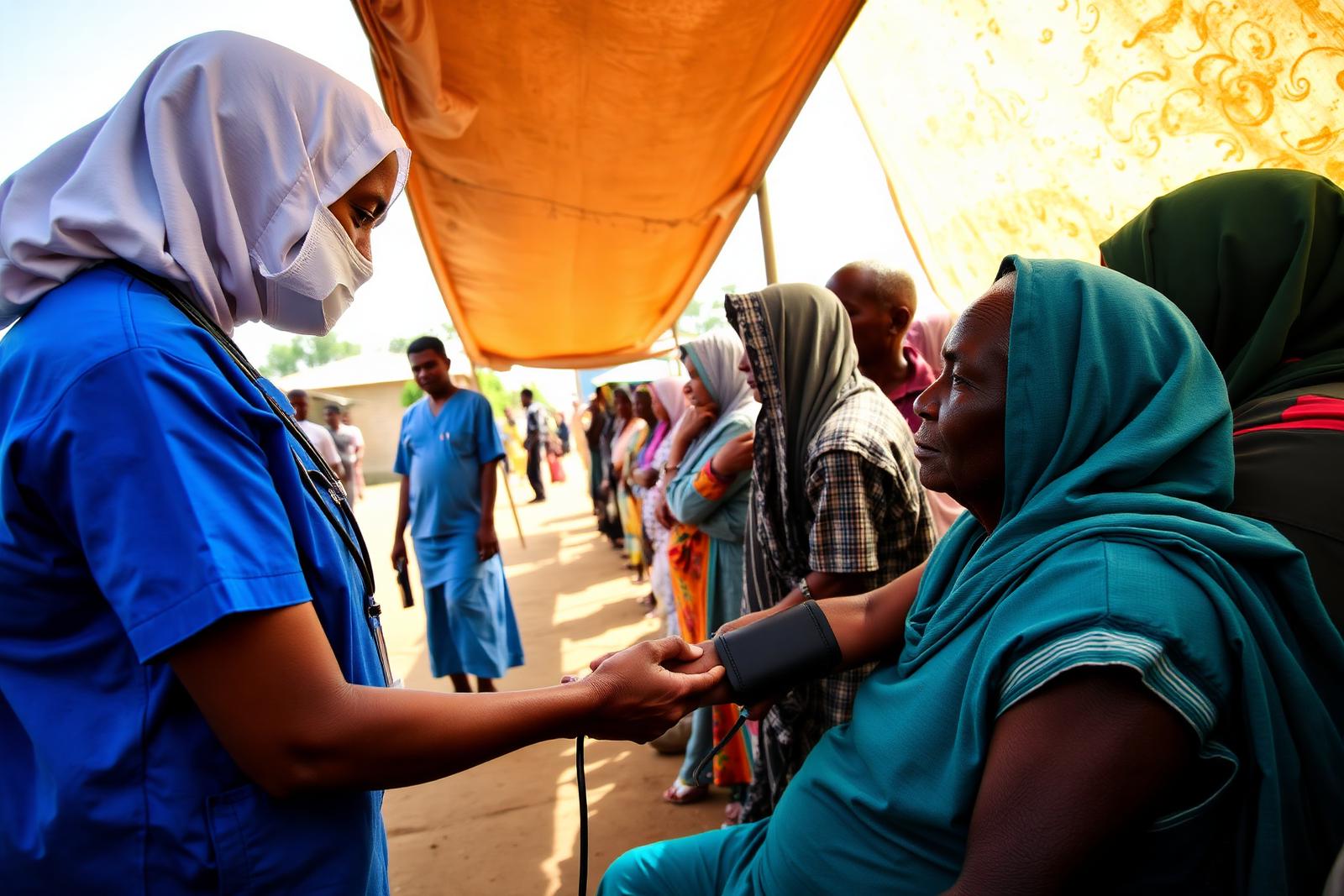
Solution / 06 · Health and Community Outreach
Plan outreaches with their teams, schedules and budgets.
Health and community outreach organizations run activities across many locations with teams of staff and volunteers. Impact helps schedule outreach events, assign tasks, record volunteers, track budgets and store reports, so each outreach is planned and accounted for.
- The challenge
- Outreach schedules, team assignments and costs are managed separately, making it hard to plan the next outreach from what the last one cost and achieved.
- Relevant capabilities
- ProjectsEventsVolunteersTasksDocuments & Reports
- Example workflow (illustrative)
- An outreach project is planned with its budget, each outreach day is created as an event, volunteers and tasks are assigned, expenses are recorded and the activity report is stored with the project.
- The benefit
- Outreach schedules, teams, costs and reports in one place.
Impact does not hold medical records or provide clinical or hospital workflows.
In practice · illustrative workflow
Follow the work from funding to reporting.
STEP 1 OF 7
Record funding
- What happens
- A donation or funding commitment is recorded against the donor.
- Relevant module
- Donors · Finance
- Information needed
- Donor, amount, date, any pledge terms.
- Next stage
- Organize restrictions
Illustrative sequence. Impact records payments but does not process them, and records are linked by your team rather than moved automatically.
Product preview
See what organized operations can look like.
A static preview with invented sample data. It is not a live demo.
Projects needing attention
- Kaduna water pointsOver budget 8%
- Girls' STEM clubReport overdue
- Ikorodu outreachLead unassigned
Upcoming activities
- 14 OctYouth skills fair
- 21 OctDonor breakfast
- 2 NovClean water outreach
Pending tasks
- Approve venue booking
- Upload September receipts
- Confirm volunteer roster
Funding summary
Recent activity
- Expense EXP-0412 approved
- New donor: Green Valley Ltd
- Project report uploaded
Reporting reminders
- Q3 donor reportDue 31 Oct
- Board finance packDue 7 Nov
Illustrative mockup with fictional data — not customer results
Purchase & deployment
From product enquiry to an organized workspace.
Impact is a Reedox product available for commercial enquiry and purchase.
- 01
Discuss your organization
Contact Reedox and explain your structure, operational challenges and requirements.
- 02
Review the capabilities
Identify the modules and workflows that match your organization's needs.
- 03
Agree on pricing and deployment
Reedox confirms the applicable pricing, scope and deployment arrangements.
- 04
Prepare for adoption
Configuration, onboarding, user access and support are agreed once confirmed with Reedox.
FAQ
Questions about Impact.
Can't find your answer? Contact Reedox.
Impact by Reedox